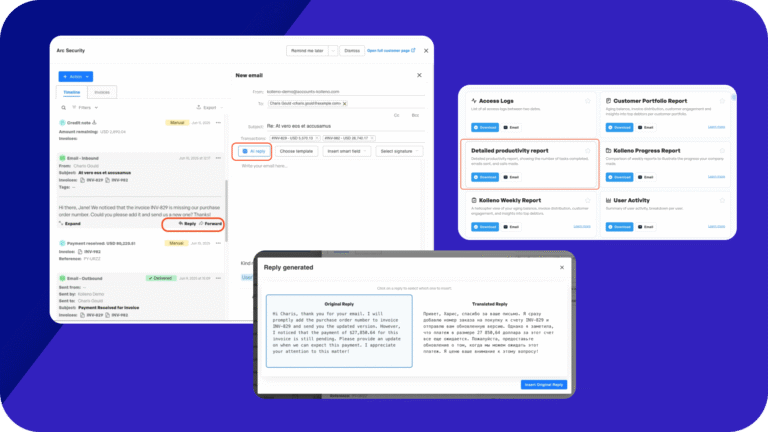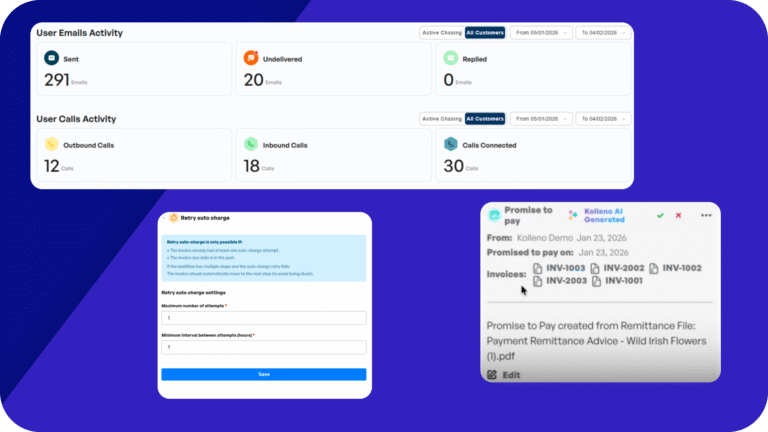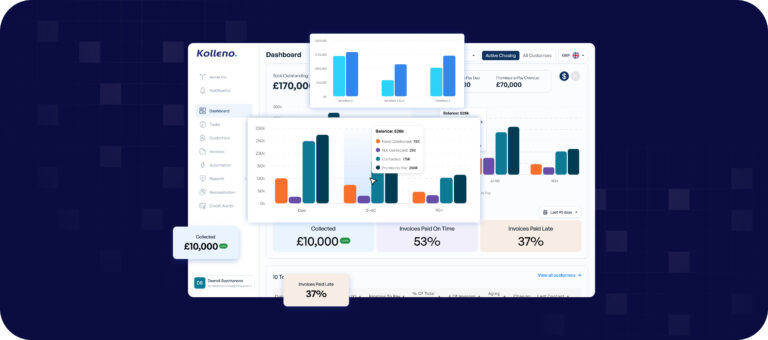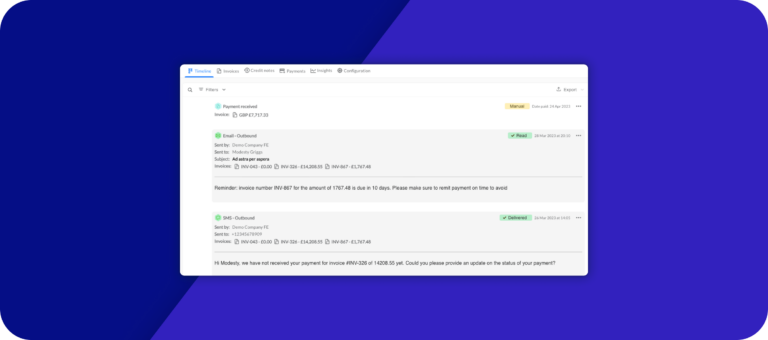



This month product update puts more control in your hands across the whole order-to-cash cycle. The Task Manager now shows every new event the moment it lands, reconciliation rules match your predictable payments automatically, and you can generate formal letters straight from your own templates. AP Portal Agent brings your SAP Ariba invoices into Kolleno, from status to rejection reasons, without opening the portal. We’ve also deepened your NetSuite and Vantage connections, given you more control over email routing, and opened the first version of Cash Flow Forecasting for testing.
🔔 Never Miss What’s New
See all new activity with the bell: Click the bell at the top of the Task Manager and the list switches from task cards to an event view. See every individual event across your tasks, inbound emails, SMS, calls, promises to pay and more, with new-activity counts on the bell and each channel. Your team spots fresh activity the moment it lands, instead of scanning the whole list to find it.

Jump straight to the right moment: Click any event to open its task with that item highlighted on the timeline, in both card and table view. You land exactly where you need to respond, saving the hunt through a long thread.

Reply once, clear the thread: Reply from a task and Kolleno resolves the related unanswered emails, SMS and calls. Their notification chips clear for everyone. If a teammate has already responded, the event stops asking for your attention. A reply on a closed task reopens it. Your team never double-handles a message or loses a live conversation.
Snooze, restore and never miss a reminder: Snooze an event until later, restore one you dismissed, and get reminders on time. Events that arrive on tasks already completed show the “Task completed” context and a clearer completion summary, so nothing slips through.
Customer context inside the task: The Customer section shows the customer’s total outstanding balance and full timeline. Your team sees the whole picture before replying, without opening another screen.

🔁 Reconciliation That Follows Your Rules
Let routine payments match themselves: Tell Kolleno how to match predictable incoming payments to open NetSuite invoices, and optionally post the match without a review. Each rule has its own conditions, match strategy, adjustments and settings. Routine payments reconcile themselves, freeing your team for the matches that need judgement.
A strategy for every payment pattern: Pick the strategy that fits how each customer pays. Options include exact or fuzzy reference, oldest or largest first, customer + amount, invoice and credit note pairs, and multi-invoice bundles. Each rule matches against any customer, identified from the payer’s bank details, or only the ones you pick. Messy references, lump sums and split payments all match cleanly, with no manual effort.

Automate the sure matches, review the rest: When amounts balance, the rule posts the match or leaves it in Review & reconcile, with its name under Reconciled by. When it isn’t sure, the invoices it found appear as a Rule Match suggestion. Your team automates the confident matches and reviews only the ones that need a closer look.
Handle differences with adjustments: Adjustments settle small under- and over-payments automatically, from bank fees and FX differences to early-payment discounts, write-offs and part-payments. Each one stays within a limit you set, as a fixed amount, a percentage, or a range. Minor discrepancies clear themselves, instead of piling up as manual write-offs.
Test a rule, then apply it to past payments: See which transactions a rule picks up before you save it. Click any transaction to check which condition passed or failed, against the exact value your bank sent. Once you’re happy, run the rule over the payments you already have. Roll out rules with confidence, and catch up on past payments in one run.
Rules suggested from your past matches: Kolleno can propose rules based on how your team has already matched payments by hand. You start from the patterns you already use, instead of building every rule from scratch.

🧾 Cleaner NetSuite Postings
Reconcile intercompany receipts: Match a payment received by one subsidiary against another subsidiary’s invoices, with intercompany GL accounts mapped. Group finance teams reconcile cross-entity payments without manual journal work.
Applying bank fees to a multi-customer payment: A new guide shows how to book the fee when one payment covers several customers. Handle shared-fee payments the right way, without guesswork.
Resolve a “Sync incomplete” match: A new guide covers what to do when a match is saved in Kolleno but not fully posted to NetSuite. The match now shows the NetSuite payment it created. You can see exactly where it stopped and fix it fast.

✉️ Formal Letters Straight From Kolleno
Create and publish a letter template: Upload a Word document, fill each field from a smart field or let the agent complete it from the account’s context, and preview a sample PDF before publishing. You see exactly what customers will receive before any letter goes out. Letters Management is set up with your Customer Success Manager, reach out to get started.

Generate a letter for a customer: Generate a letter from the customer record or a Task Manager task. Each one saves to the customer’s Files, ready to view, download and print. Every letter stays on the record and shows on the customer timeline, giving your team a full, auditable history of what was sent.
Generate letters in a workflow: Add a Generate letter action to any workflow with a customer, or send the letter in a workflow API call. Formal letters go out automatically as part of your chasing sequence, with no manual drafting.
Control who can generate letters: Letter permissions in user and User Group settings decide who can create templates and who can generate letters. Sensitive documents stay in the right hands, with clear control over who sends what.
📧 Get Every Email to the Right Place
Change your assignment rules: When an email arrives, Kolleno works out which customer it belongs to. You now control that decision. Set the order your rules run, letting a subject or body reference win over a match on the sender’s details. Every change is kept in a version history. Your team tunes routing to how emails actually arrive, and can always see what changed.
Test changes before you save: Run your edited rules against emails you’ve already received. See where each one would land before the change goes live. Roll out a change knowing exactly how it behaves, with no surprises in your live inbox.
Ask Maestro to improve your rules: Describe what’s going wrong in plain language. For example, emails from a shared AP inbox landing on the wrong customer. Maestro suggests the rule change for you. Your team fixes misrouting without untangling the logic by hand.

📥 AP Portal Agent: Track Your Ariba Invoices in Kolleno
Connect your SAP Ariba account: Connect Kolleno to your SAP Ariba account with email or SMS two-factor authentication. Then link each Ariba buyer to the matching Kolleno customer. Track Ariba invoices from inside Kolleno, with no separate portal login. To switch on AP Portal Agent, talk to your Customer Success Manager.
Track every invoice in one dashboard: The AP portals dashboard shows every invoice you’re tracking, alongside each scheduled and manual run and every status change Ariba reports. Your team sees where each invoice stands at a glance, without logging in to Ariba to check.

Act on rejections, track net due dates:When Ariba rejects an invoice, Kolleno shows you why. You can correct and resubmit the invoice without opening the portal. Ariba’s payment net due date is also available as an invoice column and filter, giving you a clearer view of when to expect payment.
More AP Portal Agent guides: Dig deeper with guides on how AP portal runs work, two-factor authentication, and linking buyers to your Kolleno customers.
👁️ More Visibility on Workflows and Invoices
See the API calls a workflow sent: View every API call a workflow made, with what was sent and the response that came back. When a workflow pushes data to another system, you can confirm exactly what happened.

Link to a web form from any email template: Add your custom web form to any template, not just dedicated form emails. Customers can update details or answer questions wherever you’re talking to them. Collect the information you need inside conversations that are already happening.
Find invoices with no live contact: The new “Inv. is assigned” invoice filter finds invoices that have no active contact. From there, you can fix the contact data before chasing starts.
🔗 Let AI Do More, and Connect Vantage Online
More Kolleno MCP tools: AI assistants like Claude can now do much more through the Kolleno MCP connector. Every action works exactly as it does in the web app, with the same permissions and audit log. Your team moves faster with AI, with nothing hidden.
The connector now covers:
Saved reports: list your saved report files, summarise one, read, filter or sort its rows, and get a download link.
Tags, portfolios and tasks: add, remove and list customer tags, add or remove customers from portfolios, and list tasks and promises to pay. MCP activity also flows to your SIEM feed if you have it switched on.
Invoice actions: pause and resume chasing, include an invoice in automatic charging or exclude it, and mark an invoice as disputed or clear the dispute.
Statements, payments and email: generate a customer statement and get its download link, create a payment link, list unreconciled bank transactions and create a match, and send an email from one of your email profiles.
Use Vantage Online with Kolleno: For print services and office technology businesses, Kolleno pulls invoice PDFs from Vantage Online and sets your customer portfolios from it.
NetSuite guides: New step-by-step guides cover how to switch on field configuration, add a field, and fix a field Kolleno doesn’t pull.
✏️ Tailor Your Columns, Fields and Views
Build your own fields from a formula: Add your own columns, filters and workflow conditions worked out from a formula, like net overdue or the overdue share of a balance. Your team tracks the exact numbers it cares about, without exporting to a spreadsheet. Calculated fields are set up with your Customer Success Manager.
Set allowed values for a custom field: Give a custom field a fixed list of allowed values, as a single-select. Everyone picks from the same options, keeping your data clean and your filters reliable. This is set up with your Customer Success Manager.
See the latest note at a glance: See the latest note or manual note on the Customers table, and the latest user note on Invoices. Your team reads the most recent context without opening every single record.

Land in the right company at login: If you work across several Kolleno companies, pin the one you want to open in. You start each day in the right place, with no extra clicks.
📈 Forecast Your Cash Flow
Forecast cash from every open invoice: See when and how much cash you can expect from each open invoice. The forecast is based on each customer’s own payment record, promises to pay and direct debits in progress. Forecast collections on real behavior, not guesswork. This CS-enabled feature is on per company, and once on, your whole team can see it.
Slice the forecast your way: Break expected cash down by aging bucket, customer or account owner. Open any slice to see the invoices behind it, giving your team the view that matters most to them.

See the reasoning behind every number: Open any forecast row for the step-by-step calculation behind its expected amount and date. It also shows the share of the invoice expected to be lost. Nothing is a black box, your team sees how each number was built.
Customise your forecast: Tune the forecast settings to how your customers behave, and preview the effect on sample invoices before you save. Your forecast reflects your own reality, not a generic model.
⏭️ What’s Next?
Here’s what our team is working on for upcoming releases. On reconciliation, we’re adding remittance and payer identification, plus more rule options like new conditions and a wider reference search. A new Slack integration brings task and dispute alerts straight into Slack. Cash Flow Forecasting gains a lookback of predicted versus received cash, with projected billing. We’re also adding NetSuite self-configuration, so you can manage fields without waiting on support, and extending AP Portals to Coupa.
Ready to try these features? 👉 Log into Kolleno
- 🔔 Never Miss What’s New
- 🔁 Reconciliation That Follows Your Rules
- 🧾 Cleaner NetSuite Postings
- ✉️ Formal Letters Straight From Kolleno
- 📧 Get Every Email to the Right Place
- 📥 AP Portal Agent: Track Your Ariba Invoices in Kolleno
- 👁️ More Visibility on Workflows and Invoices
- 🔗 Let AI Do More, and Connect Vantage Online
- ✏️ Tailor Your Columns, Fields and Views
- 📈 Forecast Your Cash Flow
- ⏭️ What’s Next?