







We are closing the year with a major boost to automation. From AI that reads remittance files to workflows that react to customer behavior, here is how Kolleno is getting smarter.
Let’s dive into what’s new.
🤖 AI & Automation:
Turn Remittance Files into Actionable Data
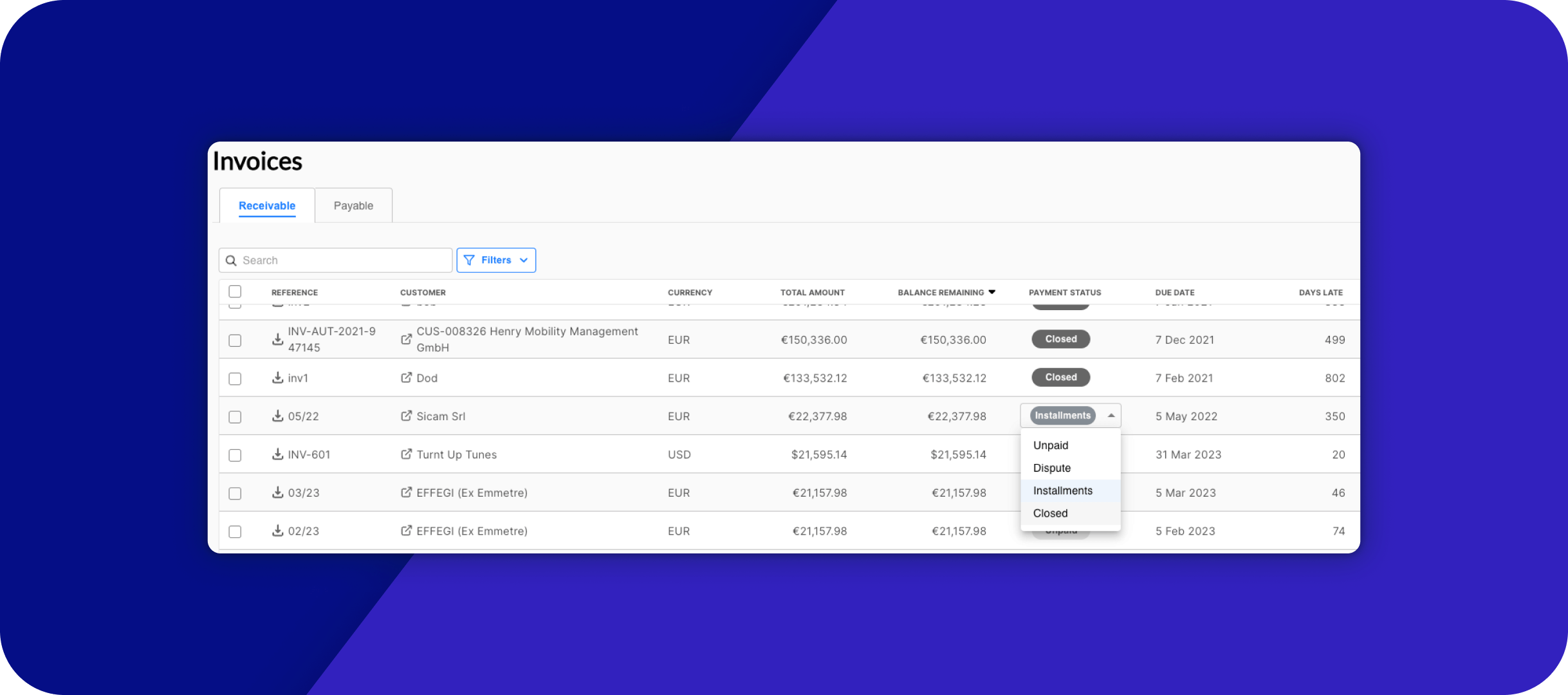
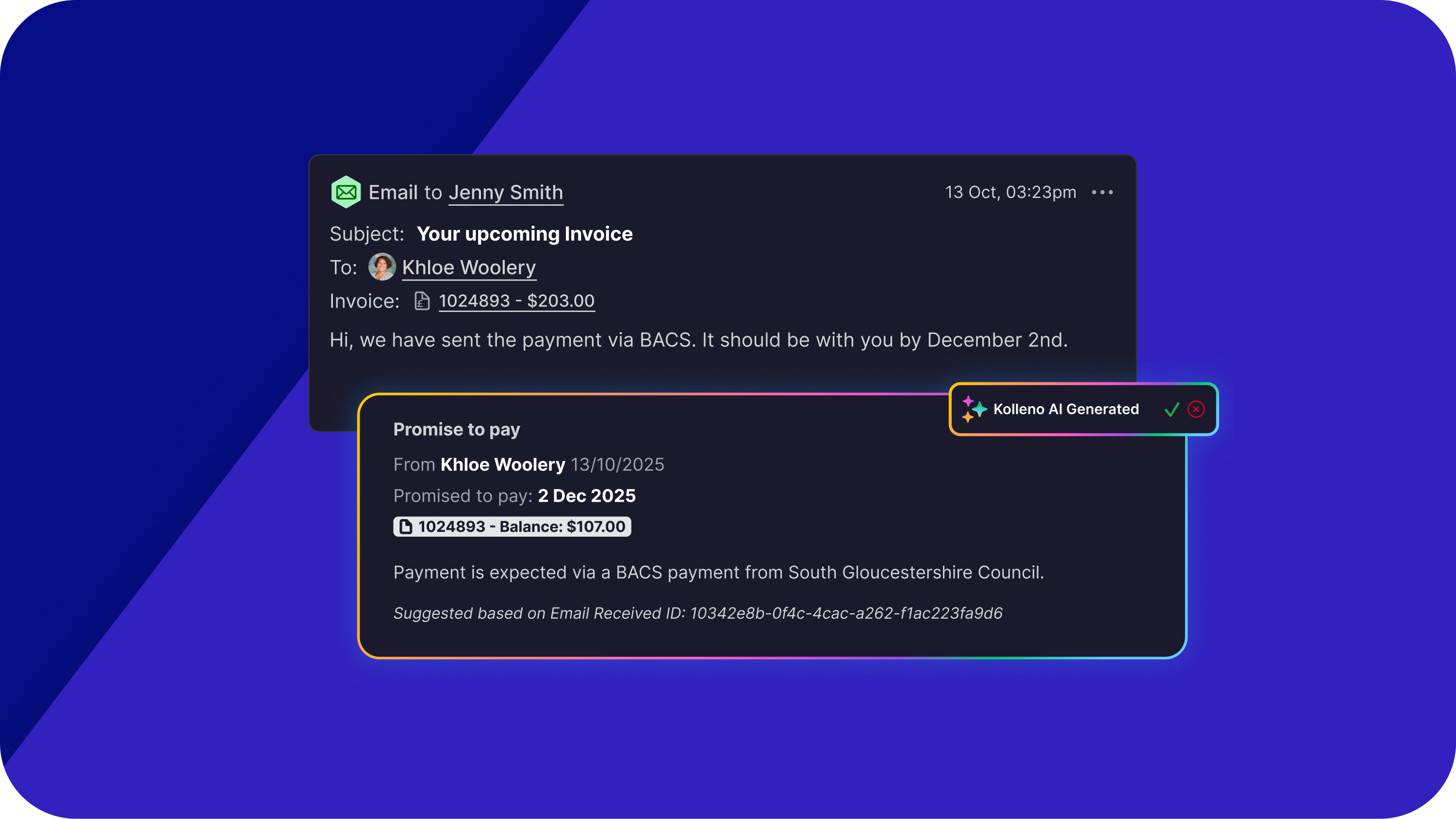
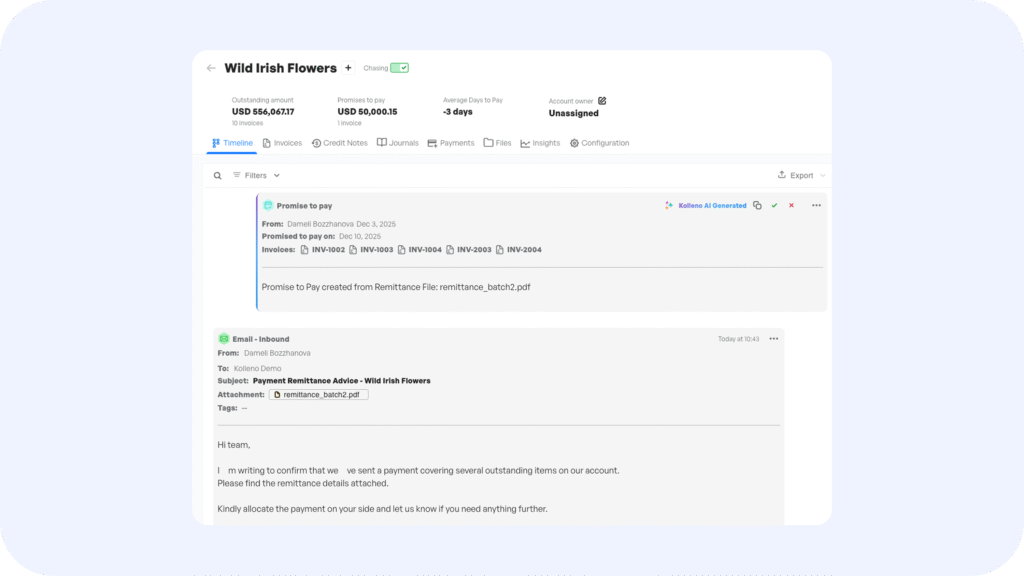
Kolleno’s AI now seamlessly scans uploaded remittance files to detect payment intent. It automatically identifies which invoices the customer is promising to pay and creates a “Promise to Pay” record in the system for you.
Why it matters: This removes the lag between receiving a file and updating your cash forecast. You no longer need to manually parse long documents, the AI does the heavy lifting, ensuring your “Expected Cash” report is always accurate.
👉 Learn how to use Promise to Pay from Remittance
Draft Emails at the Speed of Thought
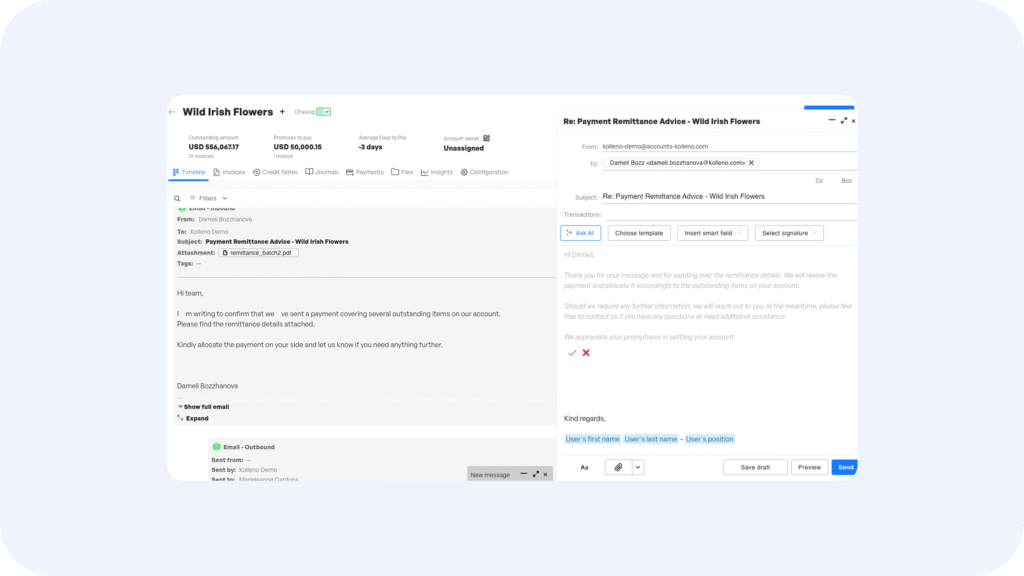
We are introducing a smarter way to reply. When you open the email editor, Kolleno AI has already drafted a suggested reply based on the customer’s history and last interaction. You can Regenerate, Shorten, Lengthen, or Translate the draft with a single click.
Why it matters: This isn’t just a generic template. The AI reads the context of the account—so if a customer asked for a copy of an invoice last week, the draft will reference that. It turns a 3-minute typing task into a 10-second review.
Instant Account Context with AI Timeline Summaries
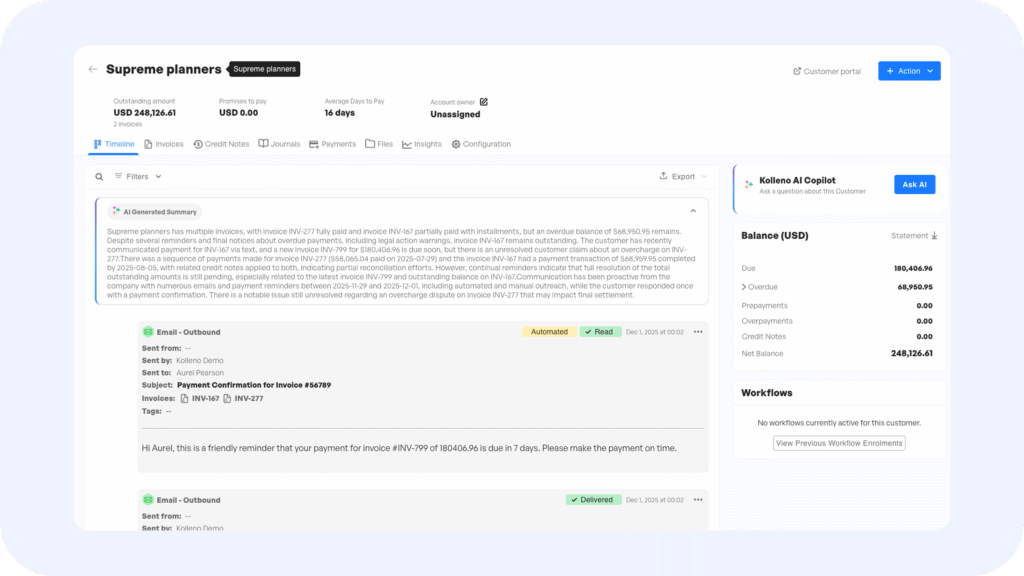
Get up to speed instantly! Kolleno now generates a short AI summary of the latest events and outstanding action points for every customer, pinned right at the top of their timeline.
- Why it matters: Collectors often waste time scrolling through months of history to understand “where we left off.” This summary gives you an instant snapshot of the account status, so you can pick up the phone and sound like you’ve been following the account for months.
⚡ Workflow Power-Ups
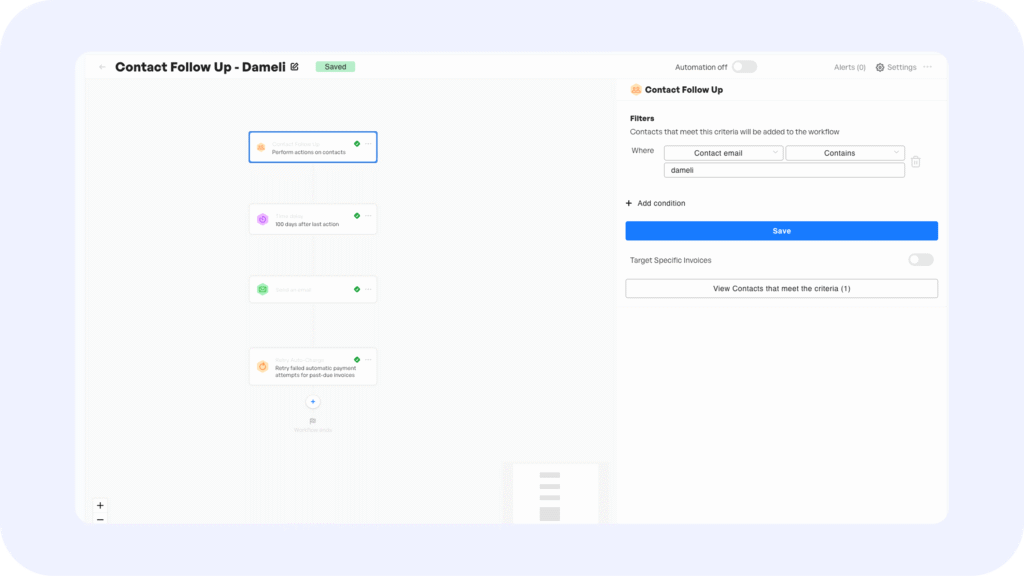
Dynamic Workflows Based on Behavior Triggers
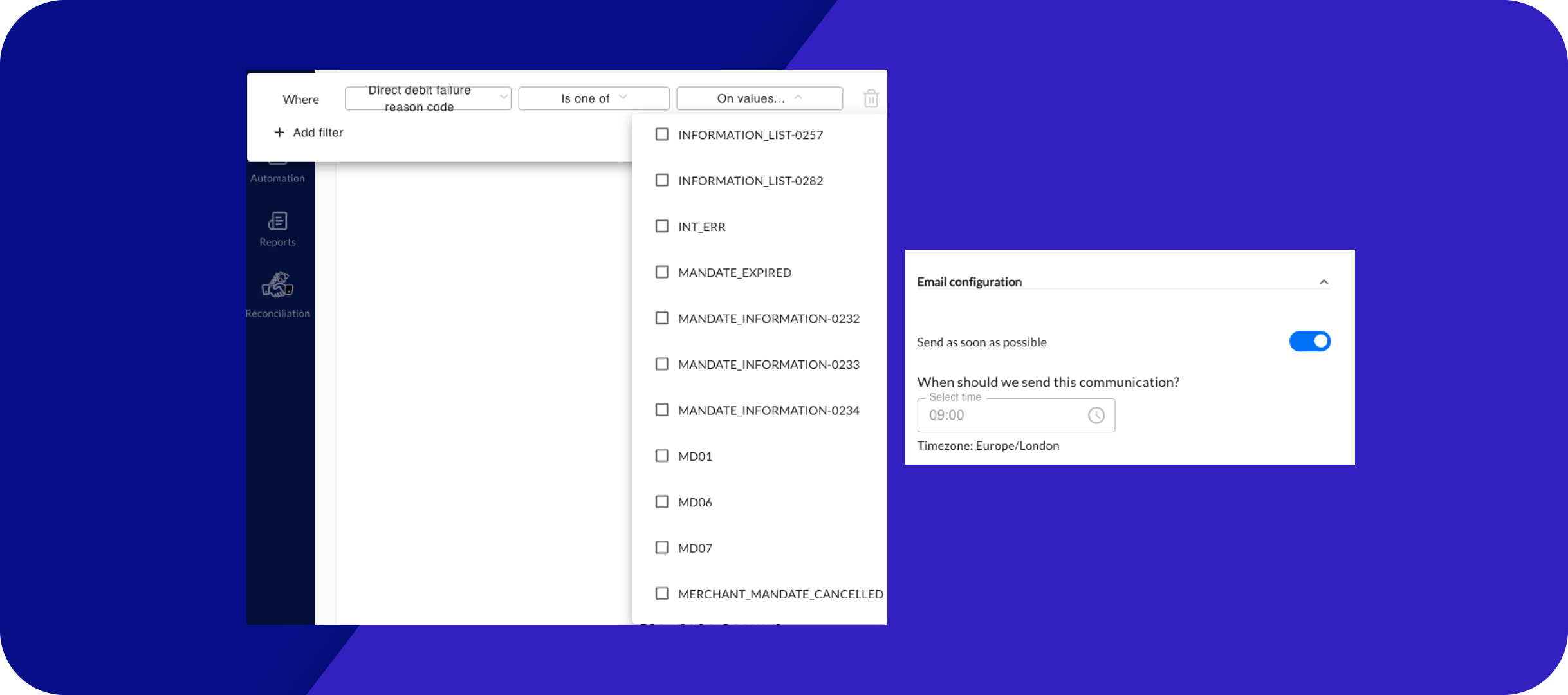
- What’s New: You can now set up Contact Trigger Workflows that activate based on specific customer actions or interactions.
- The Benefit: Create a more responsive dunning process that adapts to how customers are engaging with your emails and portal.
👉 Guide: Setting up Contact Follow-up Triggers
👉 Guide: Understanding Contact Follow Up Logic in Workflow Triggers
New Workflow Actions
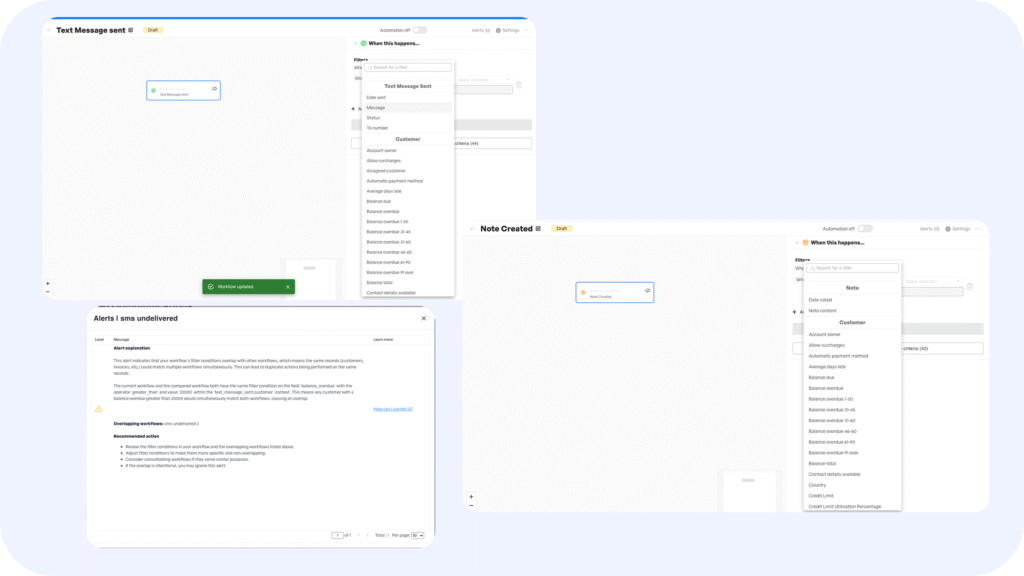
We have significantly expanded the “toolkit” of actions your workflows can perform automatically:
- AI Overlap Alert: The system now proactively warns you if multiple workflows overlap on the same filter nodes, preventing you from accidentally spamming a customer with duplicate messages.
- Send Text Message: Go omnichannel by adding SMS reminders directly into your sequences.
- Note Created: Automatically log internal notes to the customer records for better audit trails.
- Retry Auto-Charge (GoCardless): Automatically retry failed payments without lifting a finger.
- Exclude from Auto-Charge: Automatically pause auto-collections for specific invoices based on your custom logic.
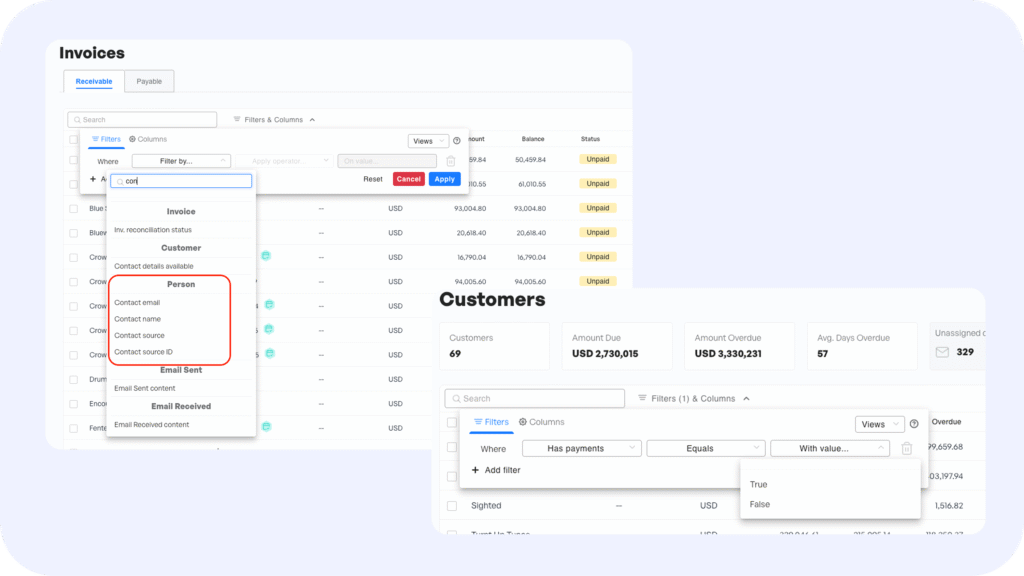
🔍 Filters & Data Visibility
Hide Specific Accounts for a Cleaner View
You can now request to hide specific bank accounts from your main dashboard and reconciliation views. Some Open Banking providers (especially in the US and Canada) automatically sync every account linked to a bank login—including personal, savings, or inactive accounts that you don’t actually use for business.
- Why it matters: You can now have these specific accounts hidden from all users. They remain connected in the background but won’t clutter your screen, reducing the risk of errors and keeping your workspace clean.
👉 Guide: Hide specific accounts to all users in reconciliation
Upload BAI2 CSV Files
We have expanded our file compatibility. You can now upload BAI2 files (flattened as CSV) directly into the platform.
- Why it matters: This ensures you can import and reconcile transactions from a wider range of banking providers, specifically those that use the legacy BAI2 format, ensuring no data is left behind.
👉 Guide: Upload a BAI2 CSV file of Bank Transactions
🔗 Integrations & Reconciliation
Salesforce Chatter Integration
- Kolleno updates can now be posted directly to Salesforce Chatter. When a significant collection event happens in Kolleno, the update is pushed to the corresponding Salesforce account’s Chatter feed, ensuring total alignment between Sales and Finance.
👉 Enable Salesforce Chatter Integration
Ready to try these features? 👉 Log into Kolleno