

With 95% of accounting firms and professionals already embracing automation, it is no surprise that businesses are looking for ways to automate more of the order-to-cash cycle. Payment reconciliation is no exception.
Knowing that automation can help is the easy part, but knowing which solution is right for your business requires more context. This guide covers the key benefits of automated payment reconciliation, implementation considerations, and what to look for when choosing the right software.
What Is Automated Payment Reconciliation?
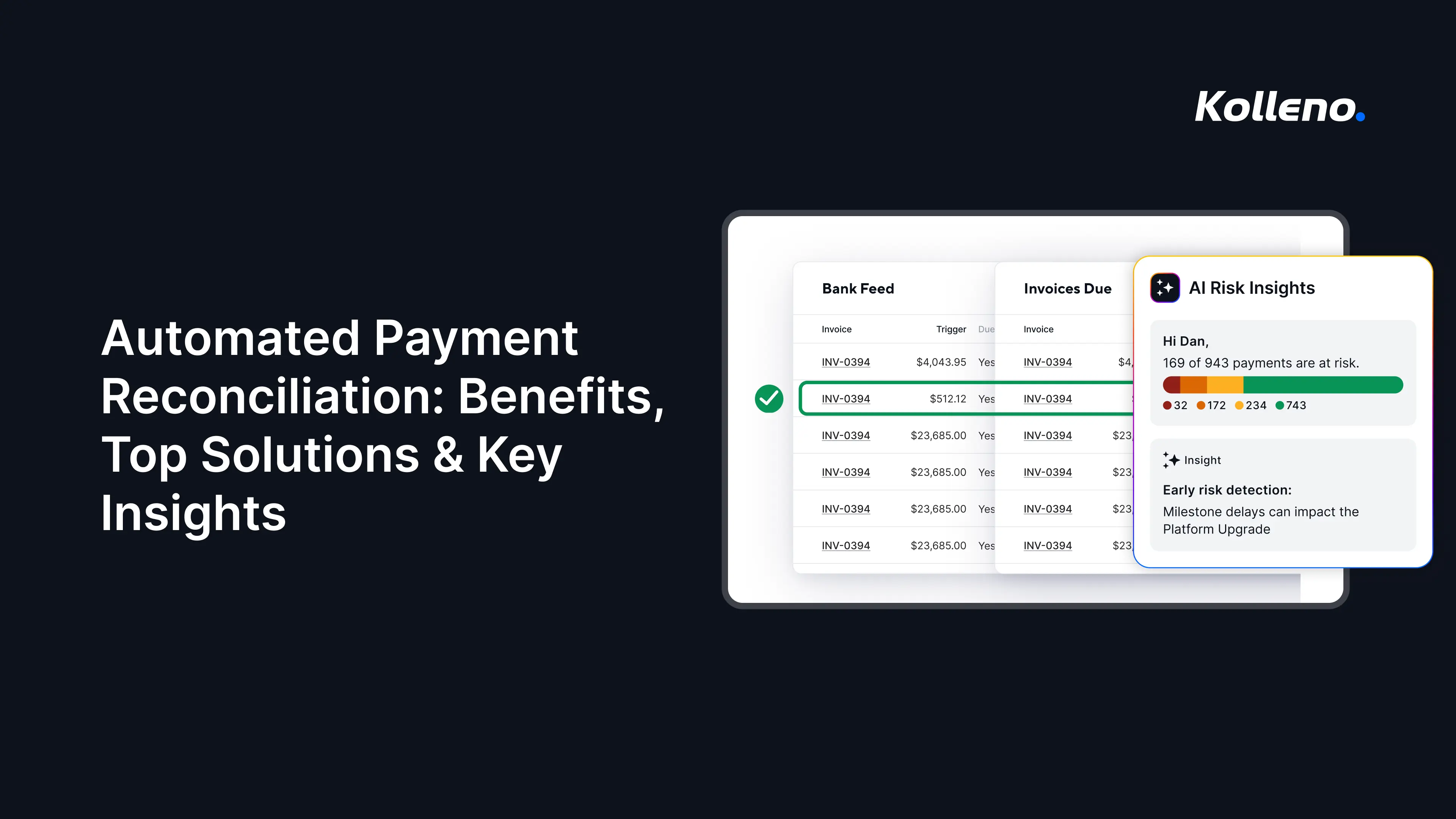
Automated payment reconciliation is the process of using software to automatically match incoming customer payments with the correct invoices and update accounting records.
In the past, accountants would manually compare bank transactions, payment details, and outstanding invoices. Now, an automated system identifies matches based on information such as invoice numbers, customer names, payment amounts, and dates.
Automation has transformed payment reconciliation by replacing slow, manual spreadsheet matching with real-time, AI-driven engines. It significantly cuts closing times from weeks to days while minimizing human error and flagging fraud instantly (more on these later).
For example:
A customer pays an invoice for $5,000. The reconciliation software receives the payment data from the bank and identifies the matching $5,000 invoice. It then applies the payment and updates the customer’s account automatically. If it can’t find a matching invoice, the system flags it for review so the accounting team doesn’t have to search through records manually.
Why Businesses Are Leaving Behind Manual Reconciliation
The need for automation didn’t just spring out of nowhere one day. Many businesses sought faster, more effective, and affordable ways to reconcile payments. To understand why this shift happened, it’s best to look at the pain points caused by manual reconciliation.
Too Slow for Modern Operations
In a world where speed matters, having painfully slow cash-to-order turnaround times can directly threaten your business’s financial health. And manual payment reconciliation can quickly create delays for AR teams. A 2025 PYMNTS/Versapay study found that 27% of CFOs said their AR teams spend at least half of their time resolving invoice disputes, while only 23% said their teams were completely up to date on invoices.
Slow payment reconciliation can hide your real cash position, increasing the risk of missed bills, failed payroll, or poor spending decisions. It not only delays financial reporting but can also leave gateway fees, processing mistakes, or short payments undetected, eating into profit margins. When payments and transactions take longer to review, unauthorized charges or other discrepancies can also go unnoticed for longer.
High Operating Costs
Avoidably high costs are another reason so many businesses are abandoning manual processes. Repetitive tasks take up expensive human hours when done manually. Even small data entry errors can take significant time to identify and correct, adding more paid hours to an already resource-intensive process.
Late payment penalties can also chip away at working capital, while the additional follow-up and collection efforts required to recover overdue balances add to operating costs.
Payment Errors and Cash Leakage
Manual payment processes can also lead to costly errors. Businesses can accidentally pay the same invoice twice if duplicate invoices or payment requests are processed without a clear view of what has already been paid. This can tie up cash and require time-consuming recovery efforts. At the same time, unmatched customer payments can make it harder to see which invoices remain outstanding, causing teams to miss overdue accounts and delay collections.
Lack of Real-Time Visibility
Manual AR can lead to strategic blindness. This is when business leaders have little insight into:
- Accurate, real-time information about cash flow
- Customer payment behavior
- Receivables performance
When data is spread across spreadsheets, emails, bank statements, and accounting systems, employees can spend significant time gathering, reconciling, and correcting information before it is ready to use. By the time that information reaches business leaders, it may already be outdated or potentially incomplete. This limited visibility can make it harder to identify risks, forecast cash accurately, and make timely, informed decisions.
This is where automated payment reconciliation changes the equation, giving AR teams faster matching, fewer manual errors, and a clearer view of cash.
The Key Benefits of Automated Payment Reconciliation
Automated AR addresses many of the bottlenecks caused by manual reconciliation. It offers more than faster daily administrative tasks. Let’s take a closer look:
Improvements in Accuracy
With manual reconciliation, employees must interpret payment information and determine which invoice or customer account each transaction belongs to. This creates opportunities for mistakes, such as:
- Applying payments to the wrong invoice or customer
- Entering incorrect amounts
- Overlooking partial payments
- Leaving transactions unmatched when payment references are missing or unclear
Because automated reconciliation uses predefined matching rules to compare payment data against open invoices and customer records, it reduces the manual interpretation and data entry involved.
For example, if a customer pays multiple invoices in a single bank transfer, the system can use the payment amount, invoice numbers, customer information, and other available data to identify and apply the payment correctly while flagging transactions that do not meet the matching criteria for review. This helps keep AR records accurate without manually reviewing every payment.
When payments are applied correctly and promptly, you have a clearer view of what is actually outstanding. This helps you make more reliable cash-flow forecasts and better collection decisions. It also means you can spend less time correcting payment records and more time on higher-value analysis.
Reduced Costly Write-Offs Due to Human Error
Manual reconciliation errors, such as an incorrectly applied payment, can make a customer appear overdue and cause unnecessary collection activity. Sometimes, this mistake leaves a balance unresolved for long enough that it becomes harder to recover.
For example, if a $20,000 customer payment is applied to the wrong invoice, the overdue invoice may still appear outstanding. An automated system can identify the correct match sooner, reducing the risk of unnecessary write-offs and helping businesses collect the cash they are already owed.
You get more predictable cash flow and less time spent chasing problems created by inaccurate records.
Faster Financial Close Processing
Before automation, finance teams often had to work through large volumes of bank transactions, identify unmatched payments, and manually update accounting records before they could finalize their numbers.
But with automation, reconciliation doesn’t have to be a time-consuming part of the month-end close. Payments can be matched and posted throughout the month rather than leaving a backlog for employees to resolve at month-end.
As a result, accounting teams can focus more on reviewing exceptions and investigating unusual items. Faster financial close also gives leadership access to financial information sooner, so they can spend more time on analysis and forecasting.
Enhanced Audit Readiness
Manual reconciliation can make audits more difficult because you may need to gather information from spreadsheets, bank statements, emails, and accounting systems to prove how payments were matched and recorded.
To address this, an automated reconciliation system creates a more consistent record of payment activity, including matched transactions, exceptions, and adjustments. So, if an auditor asks why a particular payment was applied to an invoice, your finance team can easily trace the supporting information.
That makes audits less disruptive while giving leaders greater confidence in the accuracy and completeness of their financial data.
Stronger Fraud Detection Capabilities
Automated reconciliation can also help you identify unusual payment activity that may otherwise be overlooked. The right software can flag exceptions such as:
- Duplicate payments
- Unexpected amounts
- Unusual payment patterns
- Transactions that do not match known invoices
For example, if the same invoice appears to have been paid twice, an automated system can flag the duplicate rather than allowing it to pass through unnoticed.
This gives you far better control over cash and helps you identify potential fraud or suspicious activity sooner. More importantly, it means employees don’t have to spend hours manually reviewing every transaction and can instead focus attention on exceptions and higher-value financial analysis.
What to Look For When Choosing Reconciliation Software
Several reconciliation tools can automatically match transactions, but not all of them are the right fit. The ideal solution should fit into your existing finance stack and handle the complexity of your reconciliation processes. Here are some of the key features and capabilities to look for:
Flexible Matching Rules
A reconciliation platform should give you control over how transactions are matched, allowing you to define custom rules rather than relying on rigid, predefined logic. This allows you to automate more complex reconciliation scenarios and reduce the number of transactions that require manual review.
Businesses should also be able to create and adjust rules as their processes change, without relying on IT for every update.
Look for support for one-to-one, one-to-many, and many-to-many matching, along with configurable rules based on factors such as invoice numbers, amounts, dates, references, and tolerance thresholds.
Seamless ERP and Accounting Integrations
Reconciliation software is only useful if it can access accurate data from the systems where your financial records live. Therefore, you should prioritize native integrations or reliable APIs that seamlessly connect with your ERP, accounting software, banks, and payment processors.
Native integrations can provide deeper, more direct connections with specific platforms, while APIs offer flexibility when connecting different systems or more customized environments. Look beyond whether a vendor simply claims to “integrate” with your ERP. For smooth integrations, consider how frequently data syncs, whether information flows both ways, and how much manual data handling is still required.
Advanced Reporting and Analytics
A platform that offers in-depth reporting and analytics turns reconciliation data into useful financial insight. Ensure the software has a dashboard that shows key metrics such as reconciliation status, outstanding exceptions, and transaction trends.
This level of visibility can help your team identify recurring discrepancies, understand cash movements, spot bottlenecks, and make more informed decisions.
Intuitive Exception Management
Your reconciliation software should make it easy to identify, prioritize, assign, and resolve unmatched transactions.
Look out for these capabilities:
- Configurable workflows: Adapts the resolution process to your business rather than forcing every exception through the same steps.
- Assignment: Clarifies who owns each exception, reducing the risk of overlooked discrepancies.
- Escalation rules: Flags unresolved or high-priority exceptions to the right person.
- Notes and collaboration: Attaches investigation details and communication to the transaction, instead of scattered across email or spreadsheets.
- Audit trails: Record events, actions, and times, which is particularly important for accountability and financial controls.
These capabilities help teams resolve discrepancies faster while preventing exceptions from falling back into spreadsheets, email, and other manual processes.
Comparing the Top Automated Reconciliation Software
The four solutions below stand out for different reasons. Comparing their reconciliation capabilities, integrations, target business size, and pricing models can help you identify the best fit for your business.
1. Kolleno
Overview: Kolleno is an AI-forward finance platform that combines automated matching with accounts receivable, collections, payment management, and broader order-to-cash workflows. It automatically matches payments with invoices and helps teams manage exceptions and outcomes from the same platform.
Key features:
- Automated payment and bank matching
- Customizable matching and workflow automation
- AI-powered transaction matching and exception identification
- Reporting and analytics
- AI Agents that analyze risk, match payments, and flag exceptions within defined rules
- Accounts receivable and collections automation
- ERP and accounting integrations
- Multi-entity and multi-account support
Kolleno’s biggest differentiator is that the platform connects all steps of the O2C process. This allows you to manage invoicing, collections, payments, balancing, and customer accounts in one environment. Its AI Agents can execute O2C workflows within defined rules while maintaining an audit trail of their actions.
Strengths
- Combines payment matching with broader AR and O2C automation
- AI Agents can execute tasks rather than simply provide insights
- Strong integration coverage across ERP, accounting, banking, and payment systems
- Custom workflows and automation
- Public pricing available for several plans
Potential limitations
- Businesses looking solely for financial close and balance-sheet settlement may find its broader AR capabilities unnecessary.
- Enterprise pricing requires a custom quote.
Pricing: Kolleno uses tiered subscription plans. Business Pay costs $629, and Business Plus is currently listed at $1,148.86 per user/month, while Enterprise and Enterprise Plus pricing is custom. Available plans vary by business size and turnover.
2. BlackLine
Overview: BlackLine is an established financial close and accounting automation platform designed for organizations that need extensive reconciliation, transaction matching, controls, and close-management capabilities. Its Account Reconciliations and Transaction Matching products support configurable rules and automated exception handling for higher volumes of work.
Key features:
- Account reconciliations
- High-volume transaction matching
- Configurable matching rules
- Exception management
- Close management
- Journal entry automation
- Account analysis
- Audit trails and controls
- Verity AI for reconciliation preparation and analysis
Strengths
- Deep financial-close functionality
- Designed to handle large transaction volumes
- Strong controls and audit capabilities
- Advanced matching and reconciliation automation
- Well suited to complex enterprise accounting environments
Potential limitations
- Its primary focus is financial close and accounting, not end-to-end AR and O2C.
- The platform’s breadth may be more than smaller or less complex finance teams need.
Pricing: BlackLine uses custom, quote-based pricing rather than a publicly listed subscription price.
3. FloQast
Overview: FloQast combines reconciliation automation with financial close management, accounting workflows, controls, and reporting. Its reconciliation tools support automated transaction matching, preparer and reviewer workflows, exception management, and audit reporting.
Key features:
- Automated account reconciliations
- Transaction matching
- Close management
- Preparer and reviewer workflows
- Exception management
- Audit reporting
- Analytics and reporting
- AI Agents
- ERP and source-system integrations
Strengths
- Strong combination of reconciliation and close management
- Focus on usability and workflow management
- Supports collaboration between preparers and reviewers
- Broad ERP integration capabilities
- No per-user pricing model
Potential limitations
- More focused on accounting close than the broader AR and O2C lifecycle.
- Businesses looking for a dedicated receivables and collections platform may need additional software.
Pricing: FloQast uses tailored pricing based on the organization’s requirements and explicitly states that it does not charge per user.
4. Trintech Cadency
Overview: Trintech Cadency is designed for organizations with complex financial operations, combining transaction matching, balance sheet reconciliation, intercompany accounting, close management, and governance. Its matching capabilities support complex, multi-way reconciliation and automated exception handling.
Key features:
- Transaction matching
- Balance sheet reconciliation
- Multi-way matching
- Exception management
- Intercompany accounting
- Close management
- Governance and risk controls
- Audit and compliance capabilities
- ERP connectors and APIs
Strengths
- Strong fit for complex, high-volume reconciliation
- Extensive intercompany capabilities
- Supports multiple ERP instances
- Strong governance and control features
- Designed for large and complex organizations
Potential limitations
- Its enterprise focus can make it less suitable for smaller businesses with straightforward reconciliation needs.
- Primarily focused on financial close and accounting rather than end-to-end O2C.
Pricing: Trintech uses custom enterprise pricing, with costs determined according to the organization’s requirements and deployment scope.
Best Practices for Implementing Automated Reconciliation Software
After choosing the right software, the next step is to implement it in your existing operations. The better you do this, the more you can get out of the reconciliation platform. Bad implementation can lead to integration issues, poor data quality, low user adoption, and missed automation opportunities.
1. Start with data preparation and migration.
Before implementation, review the quality, consistency, and completeness of the financial data that will be migrated. Identify and clean up issues that could interfere with automated matching, such as duplicate records, inconsistent formats, and missing references. Then, define which historical data needs to be migrated and establish clear data-mapping requirements.
2. Plan ERP and bank integrations early.
Integration is one of the most important parts of implementation. Confirm that the reconciliation software can connect with your ERP, accounting platforms, banks, and payment providers through native integrations or APIs. For API-based connections, consider authentication, data formats, sync frequency, permissions, and error handling. Testing these connections early can help identify technical challenges before they affect the wider rollout.
3. Configure rules and workflows around your processes.
Review existing processes before configuring the software. Identify which manual steps can be automated or eliminated rather than simply transferring them into the new system. Otherwise, you risk paying for automation software while retaining many of the inefficiencies it was supposed to solve.
4. Train teams and plan for change.
Adopting a new system requires hands-on training to ensure a smooth transition. Explain to your team how their responsibilities will change as more reconciliation work becomes automated so that they can fully understand their role and meet expectations. Resistance to change is easier to address when employees understand that automation reduces repetitive work and not just replaces existing tasks.
How Long Does Implementation Take?
Implementation timelines vary depending on the number of:
- Entities
- Integrations
- Data sources
- Level of customization required
A relatively straightforward deployment may take around 4–8 weeks, while complex enterprise environments with multiple ERP integrations, large-scale data migration, or extensive customization can take several months. A phased rollout can help your team identify data or integration issues early, refine matching rules, and expand automation without disrupting existing reconciliation processes.
How Kolleno Streamlines Automated Payment Reconciliation
As an AI-forward order-to-cash platform, our AI Agents can support finance teams across the entire O2C cycle. From matching payments and identifying exceptions to collections, credit risk, and dispute management, we help you automate more of the work surrounding incoming payments.
The result is a more connected approach to receivables management. Instead of using separate tools for reconciliation, collections, and credit management, you can manage these processes within a single platform and use AI to automate repetitive work and surface actions that require attention.
At Kolleno, we provide you with the infrastructure to automate today’s manual processes while building a more intelligent, connected O2C operation for the future.
Ready to streamline payment reconciliation and automate more of your order-to-cash process?
Explore Kolleno and see what AI-powered finance automation can do for your team.
Frequently Asked Questions
How is the ROI of automated reconciliation calculated?
You can compare the cost of the software with savings from reduced manual work, faster reconciliation, fewer errors, lower operating costs, and improved cash visibility. Consider both direct cost savings and the value of employees spending less time on repetitive reconciliation tasks.
Tip: Use our handy ROI calculator.
How does AI-powered reconciliation automate workflows?
AI can automatically match transactions using predefined rules and patterns, identify exceptions, and route them for review. More advanced systems can also use AI agents to handle routine reconciliation tasks and trigger related workflows.
Can automated reconciliation software integrate with existing ERP systems?
Yes. Most leading solutions offer native integrations, APIs, or both to connect with major ERP, accounting, banking, and payment platforms. The right approach depends on your existing technology stack and integration requirements.
Can reconciliation software scale with business growth?
Yes. A scalable solution should support increasing transaction volumes, additional entities, currencies, bank accounts, and integrations without requiring a proportional increase in manual work. This makes it easier to expand automation as reconciliation needs become more complex.
- What Is Automated Payment Reconciliation?
- Why Businesses Are Leaving Behind Manual Reconciliation
- The Key Benefits of Automated Payment Reconciliation
- What to Look For When Choosing Reconciliation Software
- Comparing the Top Automated Reconciliation Software
- Best Practices for Implementing Automated Reconciliation Software
- How Kolleno Streamlines Automated Payment Reconciliation
- Frequently Asked Questions