

Most finance teams still manage collections through their ERP tools, along with a mix of spreadsheets and manual follow-ups. These systems may work at a basic level, but they often lack the automation and visibility needed to build a scalable collections process. Understanding what a purpose-built collections system can do and how to evaluate the right solution is key to improving cash flow and reducing operational inefficiencies.
In this post, we’ll discuss:
- Why your ERP isn’t a true collections system
- The key features to look for in modern collection management software
- How AI is transforming collections automation
- The benefits of implementing a dedicated collections software solution
- How to evaluate vendors, calculate ROI, and plan a successful implementation
Why Your ERP Isn’t a True Collections System
Your ERP is the system of record for your business, handling the general ledger, procurement, inventory, and invoicing. But it was never designed to manage the post-invoice lifecycle, and trying to force it into that role creates real problems.
Here’s where it falls short.
Communication is Generic
ERPs enable basic activities like sending emails. However, they don’t let you build multi-step, multi-channel follow-up sequences that adapt based on customer behavior, payment history, or risk profile. In other words, they provide a “send reminder” button, not a collections strategy.
There’s No Workflow Intelligence
Which invoices need attention today? Which customers are trending toward delinquency? Your ERP doesn’t have the capabilities to tell you. To get around this, AR teams end up building manual prioritization systems in Excel and sorting by amount or days overdue. The issue is that this workflow is likely to cause things to fall through the cracks.
Analytics Are an Afterthought
Most ERPs offer basic aging report, but they don’t give you collector performance metrics, customer payment behavior trends, or forecasting models that help you predict cash inflows. You’re looking backward, not forward.
CRM systems have the same gap, just from a different angle. A CRM tracks sales relationships and customer interactions. It knows nothing about open invoices, payment terms, credit limits, or dispute resolution workflows. Bolting collections onto a CRM means building custom objects and writing integrations. This takes a lot of time and requires you to maintain something that will likely break whenever either system updates.
The result of running collections through these general-purpose tools is predictable: high DSO, inconsistent follow-up, zero visibility into collector activity, and finance leaders who can’t answer basic questions about expected cash inflows.
Collections management software exists because this problem is specific enough to demand specialized software.
Core Features of a Modern Collections Platform
A dedicated collections platform covers ground that ERPs and CRMs simply can’t. Here’s what to look for:
Automation and Workflow Management
With automation, you remove manual work from repeatable processes. That means:
- Customizable collection strategies that let you define different workflows for different customer segments. For example, a strategic enterprise account with a $2M balance should get a different cadence and tone than a mid-market customer with a $5K invoice 15 days overdue.
- Automated reminders and escalations triggered by rules you set around days past due, invoice amount, customer risk tier, and payment history. No one has to remember to send the second follow-up.
- Task prioritization that surfaces the highest-impact work for your team each morning. Instead of sorting spreadsheets, collectors log in and see exactly what needs their attention.
Intelligent Communication
Sending the same templated email to every customer, regardless of context, generally results in damaged relationships and causes people to ignore your messages. After all, they don’t seem relevant.
Modern platforms, on the other hand, support multi-channel outreach, from email and SMS or even letters if you wish, with the ability to route communication through the channel each customer responds to. Self-service payment portals let customers view invoices, raise disputes, and make payments without calling your AR team. This alone eliminates a surprising amount of back-and-forth.
Analytics and Reporting
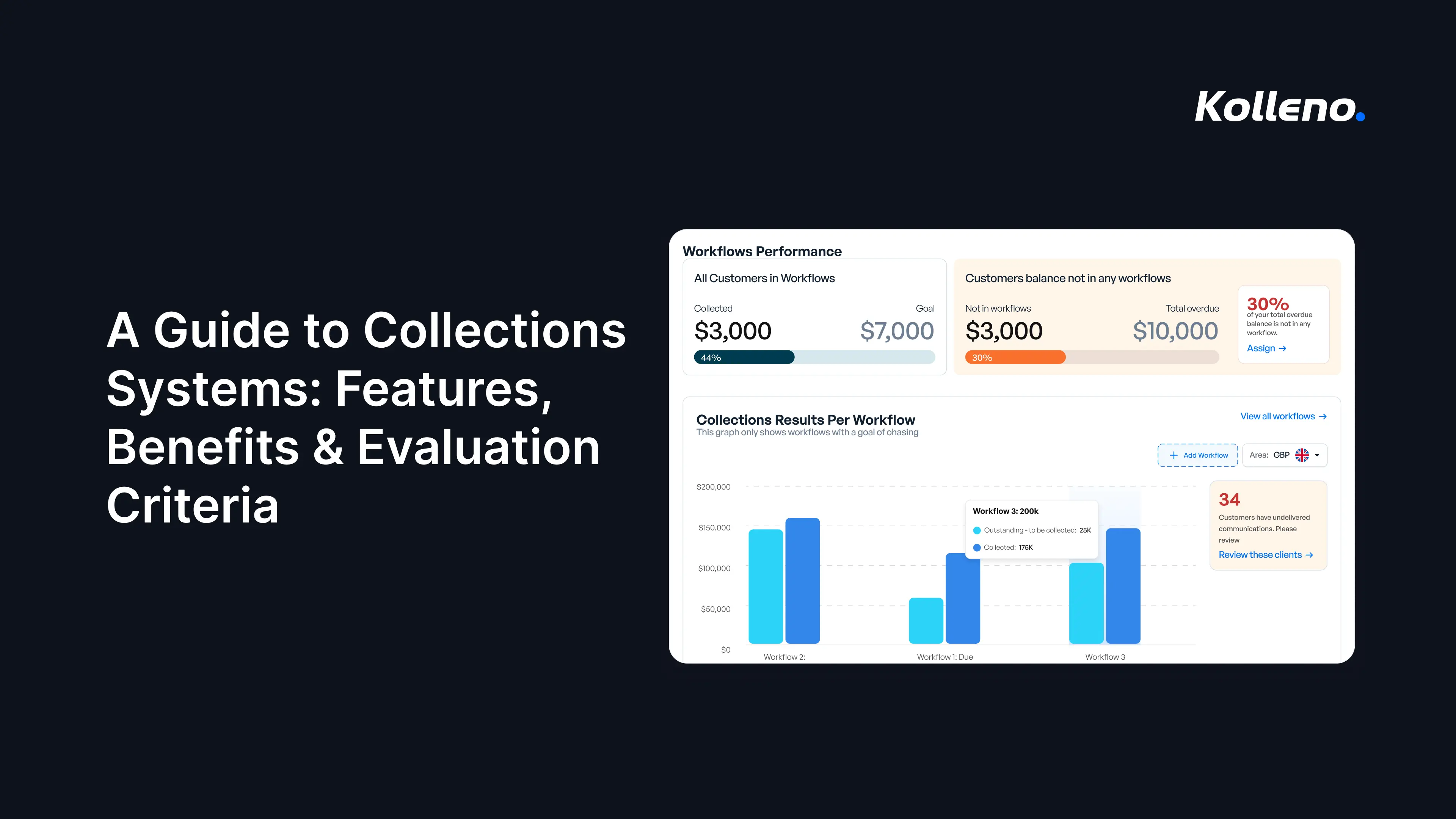
Imagine how useful it is to see exactly what’s working and what isn’t. This is possible with real-time dashboards showing DSO trends, aging buckets, collector productivity, promise-to-pay tracking, and cash flow forecasts. Good data analytics also means being able to drill into customer-level payment behavior over time, not just a static aging snapshot.
Compliance and Audit Trails
Every communication, every payment plan, every dispute resolution step should be logged automatically so that you’re audit-ready and aligned with regulatory requirements. It also really helps in the inevitable situation where a customer claims they never received a reminder.
Integration Capabilities
A collections platform that doesn’t connect deeply to your ERP is just another silo. Two-way, real-time integration capabilities with your accounting system, payment processors, and banking platforms are non-negotiable. Invoice data, payment data, credit memos, and customer records need to flow without manual intervention.
The Role of AI in Automating Collections
Traditional automation relies on predefined rules, like: if an invoice reaches a certain age, trigger a reminder. Or, if a payment fails, create a follow-up task. This approach is useful for repeatable processes, but it has clear limits. It can’t understand context and adapt to customer behavior or changing circumstances.
AI takes collections automation further by enabling systems to make informed, context-based decisions. Instead of sending a reminder on day seven simply because a rule says so, an AI agent can analyze a customer’s payment history, recognize that they typically pay on day 12, and adjust the outreach timing accordingly. With this approach, you get more effective communication without unnecessary customer friction.
Here are a few more benefits of using AI:
Personalized Outreach at Scale
AI agents can draft and send communications that reflect the customer’s history, preferred channel, and current account status.
Rather than relying on simple personalization fields like a customer name or invoice number, AI enables communication that adapts based on real customer behavior. This helps finance teams maintain stronger relationships while improving collection outcomes.
Predictive Prioritization
Instead of ranking by invoice amount or days overdue, AI models score accounts based on the likelihood of payment, identifying which accounts need intervention and which will resolve themselves.
This allows collectors to focus their time on high-impact accounts while allowing lower-risk payments to progress automatically.
Cash Application
Matching incoming payments to open invoices is one of the most tedious and error-prone tasks in AR. But AI can parse remittance data and match partial payments to handle 80% of straightforward cases autonomously, leaving your team to only handle the exceptions.
Dispute Detection and Routing
AI can identify patterns in customer responses that indicate a dispute is forming before it’s formally raised, and route it to the right person with context attached.
We think of this as “Human + AI” rather than “Human vs. AI.” The goal isn’t to replace your AR team, but to free them from repetitive tasks. This leaves them more able to focus on complex negotiations and relationship management, while leaving space for strategic decisions.
An AI agent handles the routine follow-up across hundreds of accounts; your collectors handle the 20 accounts that need a phone call and a creative payment arrangement.
This approach transforms the entire order-to-cash cycle from a labor-intensive grind into something that scales without headcount.
Key Benefits Beyond Faster Payments
Yes, you’ll get paid faster. But the downstream effects are where the real value compounds.
Reduced DSO and Predictable Cash Flow
Invoices rarely become overdue overnight. More often, they sit untouched because a follow-up was missed, a task fell through the cracks, or the team didn’t have the right visibility into what needed attention. Automated follow-ups help close those gaps by ensuring customers receive timely reminders, while intelligent prioritization helps your team focus on the accounts that need action most.
The impact on cash flow is straightforward. Even reducing DSO by a few days across your receivables portfolio can unlock working capital that was previously tied up in unpaid invoices.
Better collections data also leads to better forecasting. When finance teams can understand customer payment patterns and predict incoming cash with greater accuracy, cash planning becomes more proactive and less dependent on guesswork.
Operational Efficiency That Actually Shows Up in the Numbers
A single AR specialist manually managing collections might handle 200 to 300 accounts effectively. With automation handling routine communications and AI prioritizing their work queue, that same person can manage 800 or more. So, you’re not saving time, but you’re also avoiding the hire you’d otherwise need to make as your customer base grows.
Error rates drop too as you reduce costly inefficiencies caused by manual data entry, misapplied payments, and forgotten follow-ups. Every misapplied payment creates a reconciliation problem downstream.
Stronger Customer Relationships
This one surprises people, but it shouldn’t. Professional and consistent, well-timed communication is better for the customer relationship than sporadic, desperate collection calls. Additionally, self-service portals that let customers pay on their own terms reduce friction, and dispute resolution that occurs within days rather than weeks builds trust.
When your collections process is organized and respectful, customers actually pay faster because they’re not confused or ignoring you.
Better Risk Visibility
A good collections platform gives you early warning signals, such as customers whose payment behavior is deteriorating and sectors showing stress. This also feeds into credit decisions, sales strategy, and risk management across the business.
How to Evaluate and Choose the Right System for Your Business Needs
The very first step is to map your current process honestly. Where are the bottlenecks? Where does work fall through cracks? What data do you wish you had but don’t? The answers will tell you which features are must-haves versus nice-to-haves for your specific situation.
Then use these questions when evaluating vendors:
Integration Depth
“How deep is the ERP integration?” is the first question.
Look for real-time, two-way data sync and ask how the system handles everyday scenarios like credit memos, partial payments, and multiple entities. The smoother data flows between your ERP and collections platform, the less manual work your team has to do, and the more value you’ll get from the software.
Customization
Can you tailor workflows by customer segment, geography, business unit, or risk tier? A system that forces a one-size-fits-all approach will quickly frustrate your team.
Scalability
Will this platform handle your volume in three years, not just today? If you’re a growing SaaS company adding 50 new customers a month, you need a system that scales without proportional headcount increases.
AI Capabilities
This is where vendors vary widely. Some claim AI but deliver basic rule-based engines with a marketing veneer. Ask for specifics: What does the AI actually do? Can it learn from your data? What decisions can it make autonomously versus what requires human approval?
User Experience
Your AR team will use this system every day, so if it’s clunky, they’ll resist it. Ask for a trial period and involve your collectors in the evaluation, not just IT and finance leadership.
Vendor Track Record
How long have they been in this space? What do their existing customers say (not the cherry-picked case studies, but genuine references you can call)?
At Kolleno, we encourage prospects to run through this checklist rigorously, including with us. The right fit matters more than the flashiest demo.
Understanding B2B vs B2C Collections Needs
Not every collections process looks the same, and the right software should reflect that.
B2B collections are typically lower-volume but higher-value. You’re managing larger balances and longer payment terms, along with more complex workflows involving purchase orders, credit notes, partial payments, and disputes. You’re also often dealing with multiple stakeholders, so maintaining strong customer relationships is just as important as getting paid.
B2C collections are a different challenge. Teams are managing far more accounts with smaller balances, making automation, self-service payment options, and regulatory compliance much more important. At this scale, manual follow-up simply isn’t practical.
Many businesses, particularly SaaS companies serving both enterprise and SMB customers, need to support a mix of B2B and B2C collections. If that’s the case, look for a platform that can adapt its workflows to different customer types rather than forcing a one-size-fits-all approach.
Compliance is another key consideration. B2C collections are generally subject to stricter rules around customer communications and consumer protections, while B2B collections still require clear documentation and consistent processes. A good collections platform should help enforce these requirements automatically, reducing the risk of human error.
Implementation: Best Practices to Streamline The Transition
Implementation is where good intentions fall short if you don’t plan properly. Here’s what we’ve learned works:
Secure Executive Buy-In With Numbers, Not Narratives
Present the business case in terms of DSO impact, labor savings, and cash flow improvement, as finance leaders respond best to financial arguments.
Clean Your Data Before Migration
Invest a few weeks in data hygiene before you start, as mistakes such as duplicate customer records, inconsistent naming conventions, or incomplete contact information in your ERP will all carry over into your new system.
Involve Your AR team From Day One
They know where the real bottlenecks are and which customers are difficult and why. Therefore, their input shapes better workflows, and their early involvement dramatically increases adoption, as people support what they help build.
Start With a Pilot
Don’t try to migrate everything simultaneously. Instead, pick one business unit or customer segment, prove the value, then expand. This limits risk and gives you a reference point for internal evangelism.
Define Success Metrics Before Go-Live
If you don’t agree on what “working” looks like in advance, you’ll spend months debating whether the system is delivering value. DSO reduction, collector productivity, contact rates, and promise-to-pay conversion are good starting points for measuring ROI.
Plan for Change Management
Some team members will resist new tools. That’s normal. Invest in team training that focuses on how the system makes their specific job easier, not on abstract platform capabilities.
The Future of Collections is Autonomous
The trajectory is clear. We’ve moved from spreadsheets and phone calls, to rules-based automation, to AI-assisted workflows. The next phase is autonomous collections: platforms where AI execution handles the vast majority of routine collection activity without human intervention, while humans focus on exceptions, strategy, and relationship management.
This doesn’t mean removing people from the process. It means changing what people do. Your best collector shouldn’t spend their day sending reminder emails. They should spend it on strategic activities like analyzing portfolio risk trends and advising sales on credit terms for new prospects.
At Kolleno, we’re building toward this future: an autonomous platform that manages the full order-to-cash cycle, from invoice delivery through cash application, with AI agents handling routine decisions and escalating exceptions to humans who have full context and the tools to act.
The companies that adopt this approach now will have a structural advantage, from lower DSO and leaner teams to better customer relationships and the ability to scale without proportional increases in cost.
If you want to see what this looks like in practice, book a demo.
Frequently Asked Questions
Why can’t I just use my existing ERP system for effective accounts receivable collections?
Your ERP is designed for core accounting but lacks specialized features for post-invoice management. It provides generic communication, no workflow intelligence for prioritizing tasks, and only basic analytics, leading to missed follow-ups and unpredictable cash flow in collections.
What are the most important features to look for in a modern accounts receivable collections platform?
Key features include:
- Customizable automation for different customer segments
- Intelligent multi-channel communication
- Robust analytics for performance and forecasting
- Comprehensive compliance and audit trails
- Deep, real-time integration with your existing ERP and payment systems
How does artificial intelligence (AI) actually help improve collections processes for finance teams?
AI moves beyond rules-based automation, enabling personalized outreach, predictive prioritization of accounts based on payment likelihood, autonomous cash application, and early dispute detection. This frees your team for strategic tasks rather than repetitive follow-ups.
What are the major benefits of implementing a dedicated collections system besides reducing delayed payments?
Beyond reducing Days Sales Outstanding (DSO), a dedicated system offers significant operational efficiency by automating tasks, improves cash flow predictability through better forecasting, strengthens customer relationships with consistent communication, and enhances risk visibility across your receivables.
How should I evaluate different collections software vendors to ensure I choose the best solution for my business?
Evaluate vendors based on the depth of their ERP integration, customization capabilities across customer segments, scalability for future growth, specific AI capabilities, and user experience. Also, check their track record and seek genuine customer references to ensure a good fit.
Are there specific regulatory compliance issues I need to consider when choosing collections software?
Yes, regulatory requirements differ significantly between B2B and B2C collections, as well as by geography. B2C has stricter rules regarding contact frequency and consumer protections. A robust platform should automatically enforce these regulations to ensure compliance and avoid legal issues.
What are the crucial steps for a successful implementation of a new collections management system?
Key steps include:
- Securing executive buy-in
- Meticulously cleaning your data before migration
- Involving your AR team from the start
- Piloting the system with a small segment
- Defining clear success metrics
- Planning for comprehensive change management and team training
- Why Your ERP Isn’t a True Collections System
- Core Features of a Modern Collections Platform
- The Role of AI in Automating Collections
- Key Benefits Beyond Faster Payments
- How to Evaluate and Choose the Right System for Your Business Needs
- Understanding B2B vs B2C Collections Needs
- Implementation: Best Practices to Streamline The Transition
- The Future of Collections is Autonomous
- Frequently Asked Questions
- Why can’t I just use my existing ERP system for effective accounts receivable collections?
- What are the most important features to look for in a modern accounts receivable collections platform?
- How does artificial intelligence (AI) actually help improve collections processes for finance teams?
- What are the major benefits of implementing a dedicated collections system besides reducing delayed payments?
- How should I evaluate different collections software vendors to ensure I choose the best solution for my business?
- Are there specific regulatory compliance issues I need to consider when choosing collections software?
- What are the crucial steps for a successful implementation of a new collections management system?